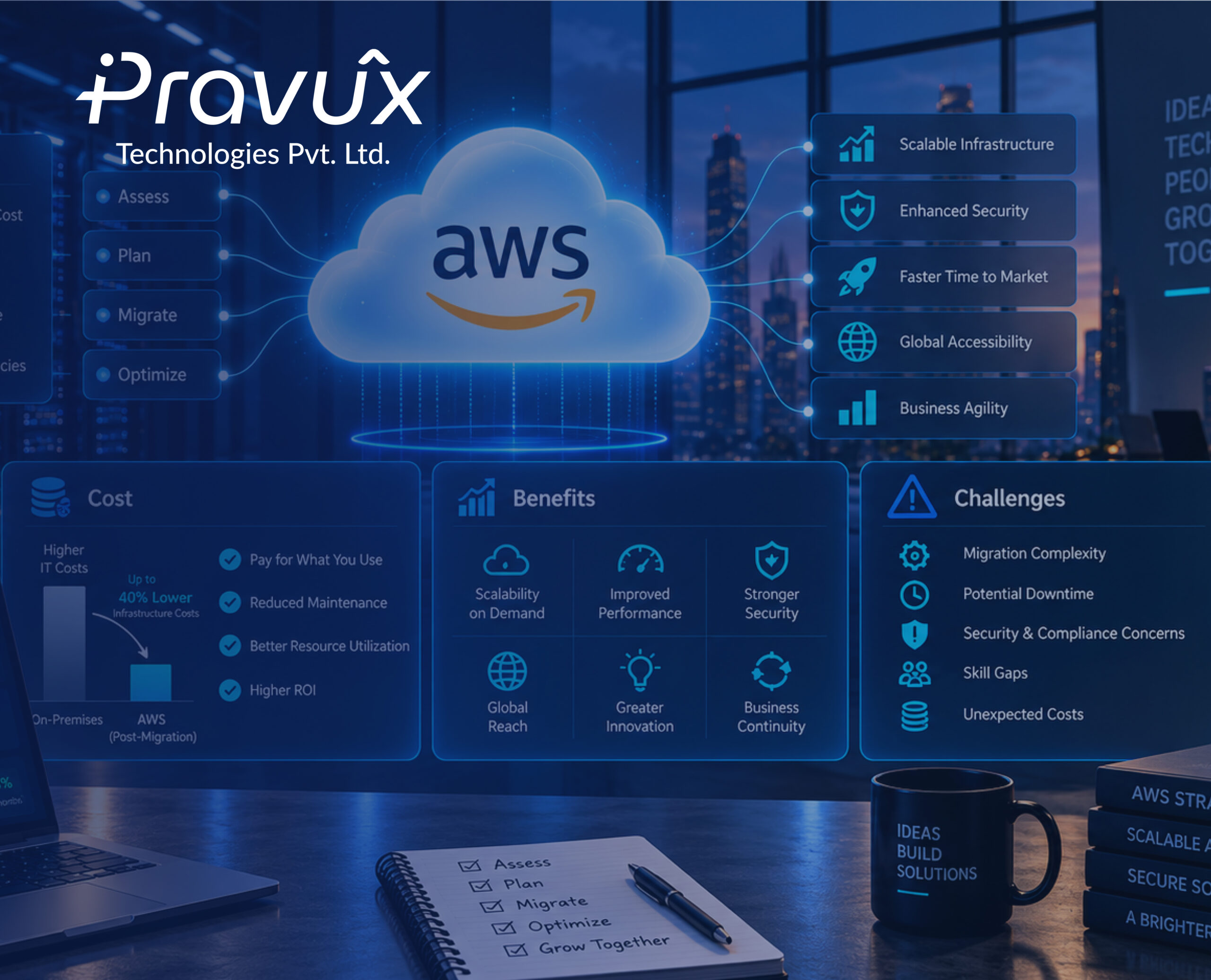
Moving an application to the cloud sounds simple.
Create an AWS account, launch some servers, move the application, and you’re done.
In reality, cloud migration is much more than moving servers from one place to another.
You have to think about architecture, security, networking, performance, backups, monitoring, and one of the biggest concerns for businesses – cost.
A poorly planned migration can leave you with a higher cloud bill, unexpected performance issues, or security problems.
A well-planned migration, on the other hand, can make your infrastructure much easier to scale, monitor, and manage.
In this blog, let’s look at what cloud migration involves, why companies move to AWS, what it can cost, and some of the challenges you should be prepared for.
What Does Cloud Migration Actually Mean?
Cloud migration is the process of moving your applications, databases, servers, storage, and other infrastructure from an existing environment into the cloud.
For example, a company might currently have:
- Physical servers
- On-premise databases
- Local file storage
- Manually configured infrastructure
During migration, these workloads might move to AWS services and cloud migration and modernization solutions designed for better scalability, security, and performance.
- Amazon EC2 for compute
- Amazon RDS for managed databases
- Amazon S3 for object storage
- Elastic Load Balancing for distributing traffic
- Amazon VPC for networking
- CloudWatch for monitoring
But migration doesn’t mean simply replacing one server with an EC2 instance.
The real goal is to build a better infrastructure around the application.
Why Are Companies Moving to AWS?
There are many reasons, but most companies are looking for the same things:
Scalability, flexibility, reliability, and better infrastructure management. Scale When You Need It
Imagine your application normally has 500 users, but traffic suddenly increases to 5,000 users.
With traditional infrastructure, you may need to purchase and configure additional hardware.
With AWS, you can design your infrastructure to scale based on demand.
Services like Auto Scaling can add or remove compute capacity when required.
You don’t have to keep expensive infrastructure running at maximum capacity all the time.
Pay for What You Use
One of the biggest advantages of cloud infrastructure is the flexible pricing model.
Instead of purchasing physical servers upfront, you generally pay for the resources you consume.
But there’s an important catch:
Cloud is not automatically cheaper.
If you create resources and never clean them up, your AWS bill can grow very quickly.
Unused EC2 instances, unattached EBS volumes, old snapshots, idle load balancers, and oversized databases can all increase costs.
That’s why cloud cost optimization needs to be part of the migration plan, not something you think about after receiving the first big bill. The AWS Well-Architected Framework also recommends considering cost when selecting services and resources.
Security Becomes a Major Focus
Moving to AWS doesn’t automatically make an application secure.
You still need to design security properly.
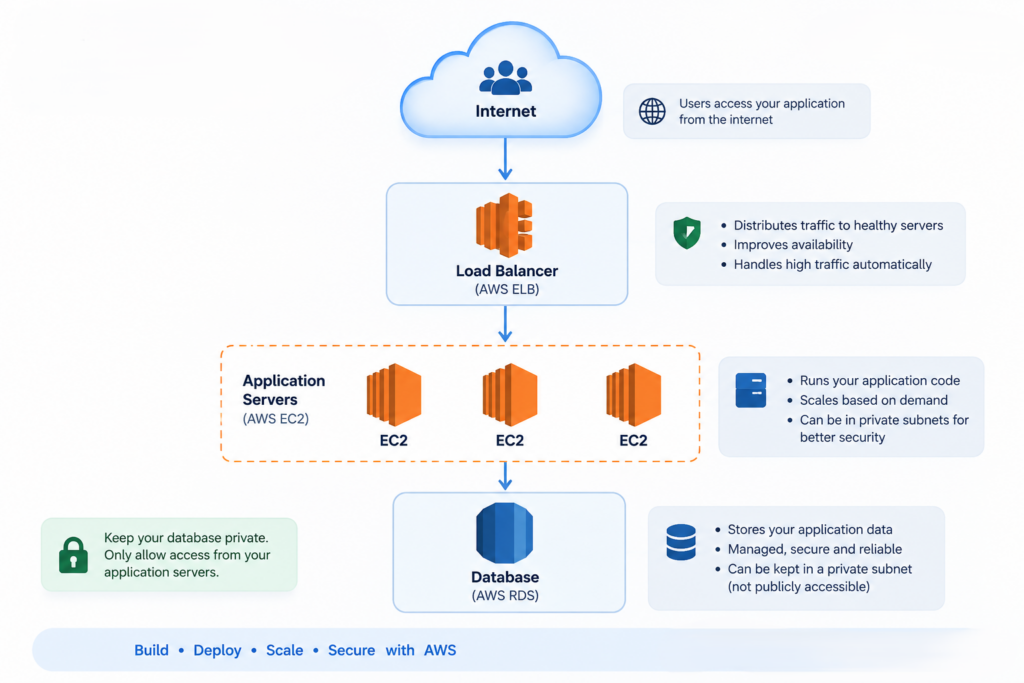
For example, don’t expose every port to the internet just because the application needs to be accessible.
A typical production setup might look something like:
How Much Does Cloud Migration Cost?
This is probably the first question management asks:
“How much will AWS cost us?”
Unfortunately, there isn’t one fixed answer.
The cost depends on things like:
- Number of servers
- Instance sizes
- Database requirements
- Storage
- Network traffic
- Backup requirements
- Monitoring
- Availability requirements
- Number of environments
For example, a small application with one EC2 instance and a small database will obviously cost much less than a production platform running across multiple Availability Zones.
That’s why it’s better to estimate costs based on actual architecture rather than choosing a random monthly budget.
The Challenges Nobody Talks About Enough
Cloud migration has plenty of benefits, but it isn’t always smooth.
Here are some challenges teams commonly face.
1. Application Compatibility
Older applications may depend on specific operating systems, libraries, or server configurations.
You can’t always move them directly and expect everything to work.
Sometimes the application itself needs changes.
2. Unexpected Costs
Teams often estimate EC2 costs but forget about:
- Data transfer
- Storage
- Snapshots
- Monitoring
- Additional environments
These smaller costs can add up.
3. Security Misconfiguration
A wrong Security Group rule or IAM permission can expose infrastructure that should remain private.
Security needs to be reviewed throughout the migration.
4. Downtime During Migration
Moving a production database or application isn’t something you should do without a plan.
Depending on the application, you may need:
- Data synchronization
- Migration testing
- Backup verification
- Cutover planning
- Rollback strategy
The migration plan should answer one simple question:
“What happens if something goes wrong?”
Don’t Move Everything at Once
One of the biggest mistakes is trying to migrate the entire infrastructure in one shot.
A safer approach is to start small.
For example:
Step 1: Understand the current infrastructure
Step 2: Identify dependencies
Step 3: Design the AWS architecture
Step 4: Migrate a non-critical application
Step 5: Test performance and security
Step 6: Monitor the environment
Step 7: Migrate production workloads gradually
This gives your team time to learn before moving critical systems. Following DevOps best practices can also help teams improve automation, deployment consistency, monitoring, and infrastructure management during the migration process.
DevOps Best Practices in 2026: What Every Team Should Follow
Test Before You Call Migration Successful
A server being available doesn’t mean the migration is successful.
You should test:
- Application functionality
- API response times
- Database performance
- Network connectivity
- Security rules
- Backup and restore
- Load handling
- Monitoring and alerts
If your application handled 1,000 concurrent users before migration, test whether the AWS environment can handle the same—or better.
Tools such as JMeter can help simulate traffic and identify performance problems before your users discover them.
Monitor Everything After Migration
The migration isn’t finished when the application starts working on AWS.
That’s actually when the real monitoring begins.
Keep track of:
- CPU
- Memory
- Disk
- Network traffic
- Application errors
- Response time
- Database performance
- AWS costs
AWS CloudWatch can help you monitor many of these metrics and create alerts when something goes wrong.
The goal is simple:
Don’t wait for a customer to tell you that your application is down.
A Simple Cloud Migration Checklist
Before moving a production application to AWS, ask:
Infrastructure
- Have we identified all application dependencies?
- Is the AWS architecture documented?
- Are resources sized correctly?
Security
- Are unnecessary ports closed?
- Is SSH restricted?
- Are databases private?
- Are IAM permissions following least privilege?
Performance
- Have we tested application performance?
- Can the infrastructure handle expected traffic?
Backup & Recovery
- Are backups configured?
- Have we tested restoring them?
- Do we have a rollback plan?
Cost
- Have we estimated monthly AWS costs?
- Are unused resources being removed?
- Are we monitoring cloud spending?
If you can’t answer these questions, the migration probably isn’t ready yet.
Final Thoughts
Cloud migration isn’t simply about moving your application from a physical server to AWS.
It’s an opportunity to rethink how your infrastructure works.
Done properly, AWS can give your business:
- Better scalability
- More flexibility
- Improved reliability
- Stronger automation
- Better monitoring
- Easier infrastructure management
But those benefits don’t happen automatically.
Good cloud architecture still requires good engineering.
Plan the migration.
Secure the infrastructure.
Monitor everything.
Control the costs.
And most importantly, don’t rush the move just because the cloud makes it easy to create a server in a few clicks.
About Us
At Pravux Technologies Pvt. Ltd., we help businesses design, migrate, and manage secure and scalable cloud infrastructure using modern AWS and DevOps practices.
From cloud migration and infrastructure automation to security, monitoring, performance, and cost optimization, we help teams build infrastructure that is ready for real-world growth.
Move to the cloud with a plan. Build for scale. Operate with confidence.